

Claude AI and ChatGPT Connectors
I Love Cards can connect with AI tools like Claude AI and ChatGPT.
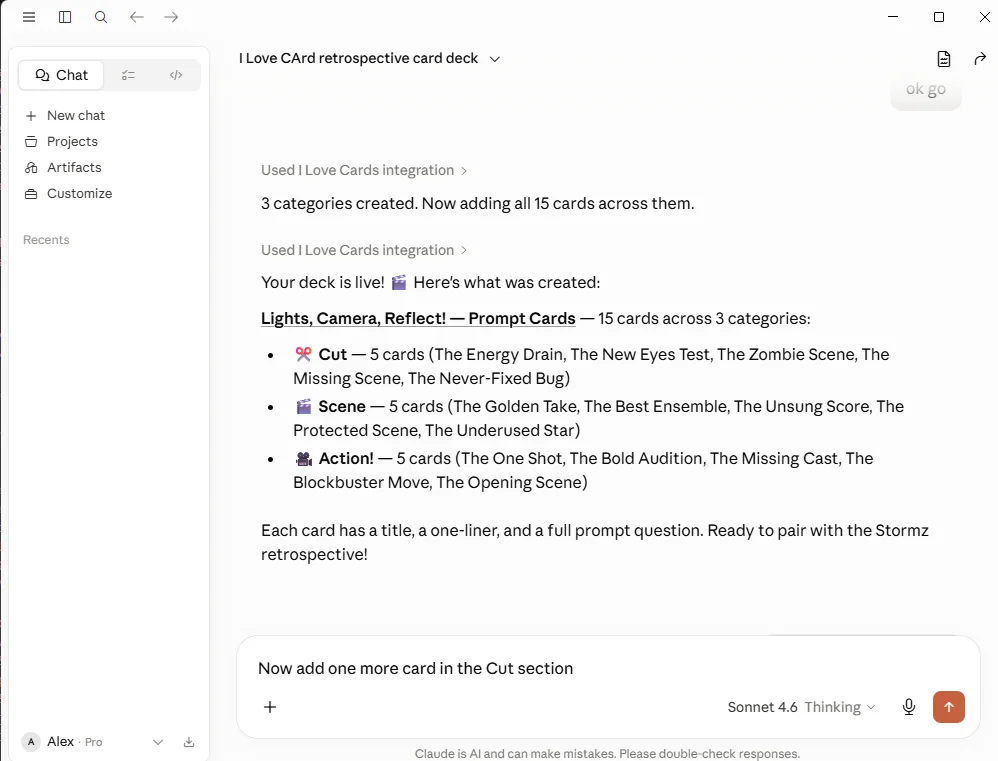
Once connected, you can work on your decks through conversation. You describe what you want, and the AI can help create, improve, and organize the deck inside I Love Cards.
What this makes possible
Instead of starting with an empty deck and clicking through every step, you can ask AI for help.
For example, you can ask it to:
- create a new deck from an idea,
- add categories and cards,
- rewrite or improve existing cards,
- adapt a deck for a different audience,
- add specific fields like duration, group size, facilitator notes, images, or prompts,
- help create or refine a card template,
- preview a card design.
This is especially useful for facilitators, trainers, consultants, coaches, educators, and workshop creators who want to move quickly from idea to usable deck.
What is MCP?
MCP means Model Context Protocol.
It is a standard way for AI tools to connect securely to other apps. In this case, MCP lets Claude AI or ChatGPT connect to I Love Cards.
The important part is not the technical name. The important part is what it enables: your AI assistant can work with your I Love Cards account after you approve the connection and permissions.
You stay in control
The connector uses your I Love Cards account permissions.
That means AI can only work with the decks and templates your account is allowed to access. For changes like creating decks, adding cards, or editing templates, the AI should ask you to approve the action before it applies the change.
Next steps
Pro Printing Reference
A comprehensive guide to how Pro PDF export works in I Love Cards, including boxes, crop marks, registration color, bleed control, and supplier communication.
Connect Claude AI and ChatGPT to I Love Cards
Step-by-step setup instructions for connecting I Love Cards MCP with Claude AI and ChatGPT.